POS · live kitchen display · smart inventory
The point of sale that knows your kitchen.
Orders reach the kitchen in seconds. Every dish deducts its ingredients automatically. And you hear about a shortage before a guest does, with a reorder list ready to send.
- No sign-up
- One click into any role
- Works on phone, tablet and desktop
One loop, from the table to the stockroom
Most restaurants run orders, the kitchen and stock as three separate things. BistroFlow connects them, so each step updates the next.
Step 1
Order
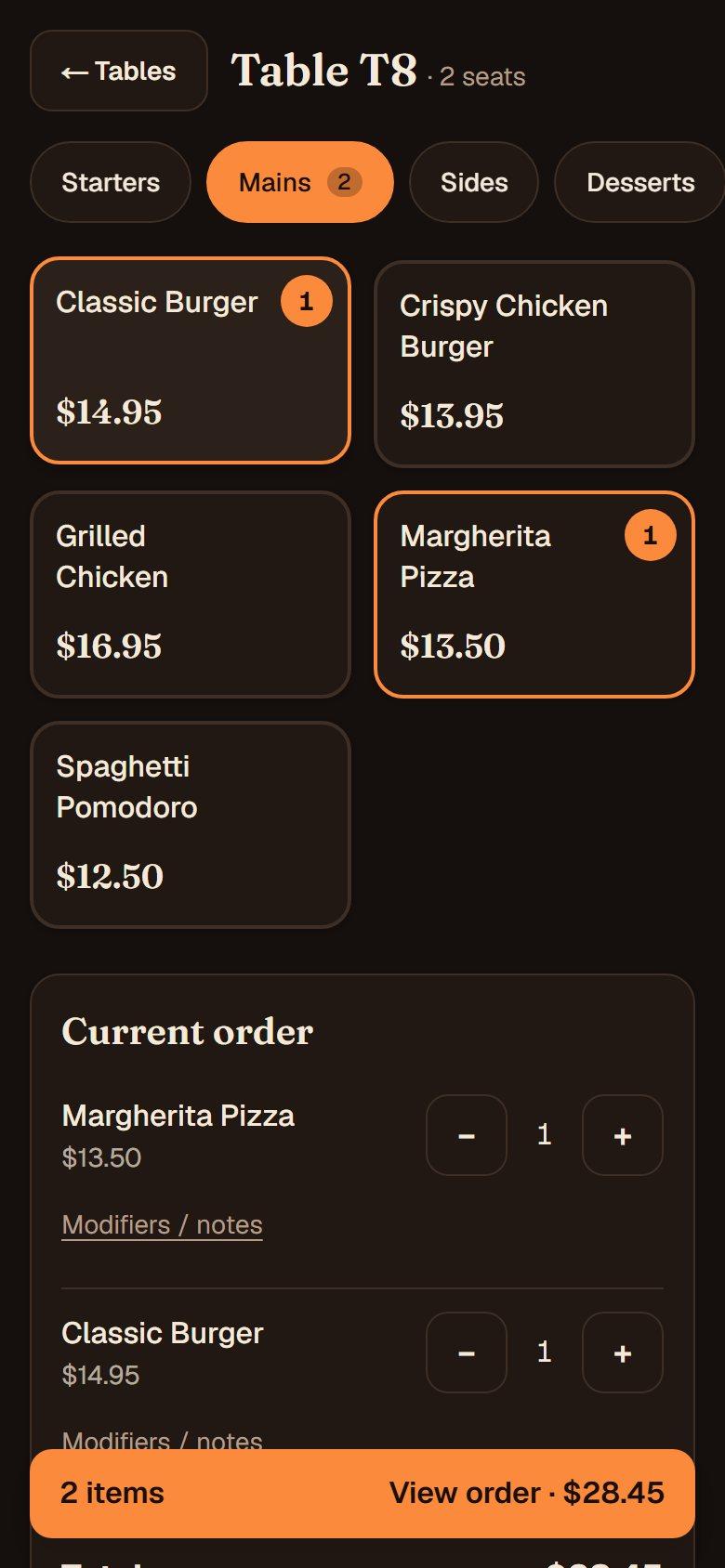
The waiter builds the order at the table. The menu already shows what the kitchen can really make, so nobody promises a dish that is gone.
Step 2
Cook
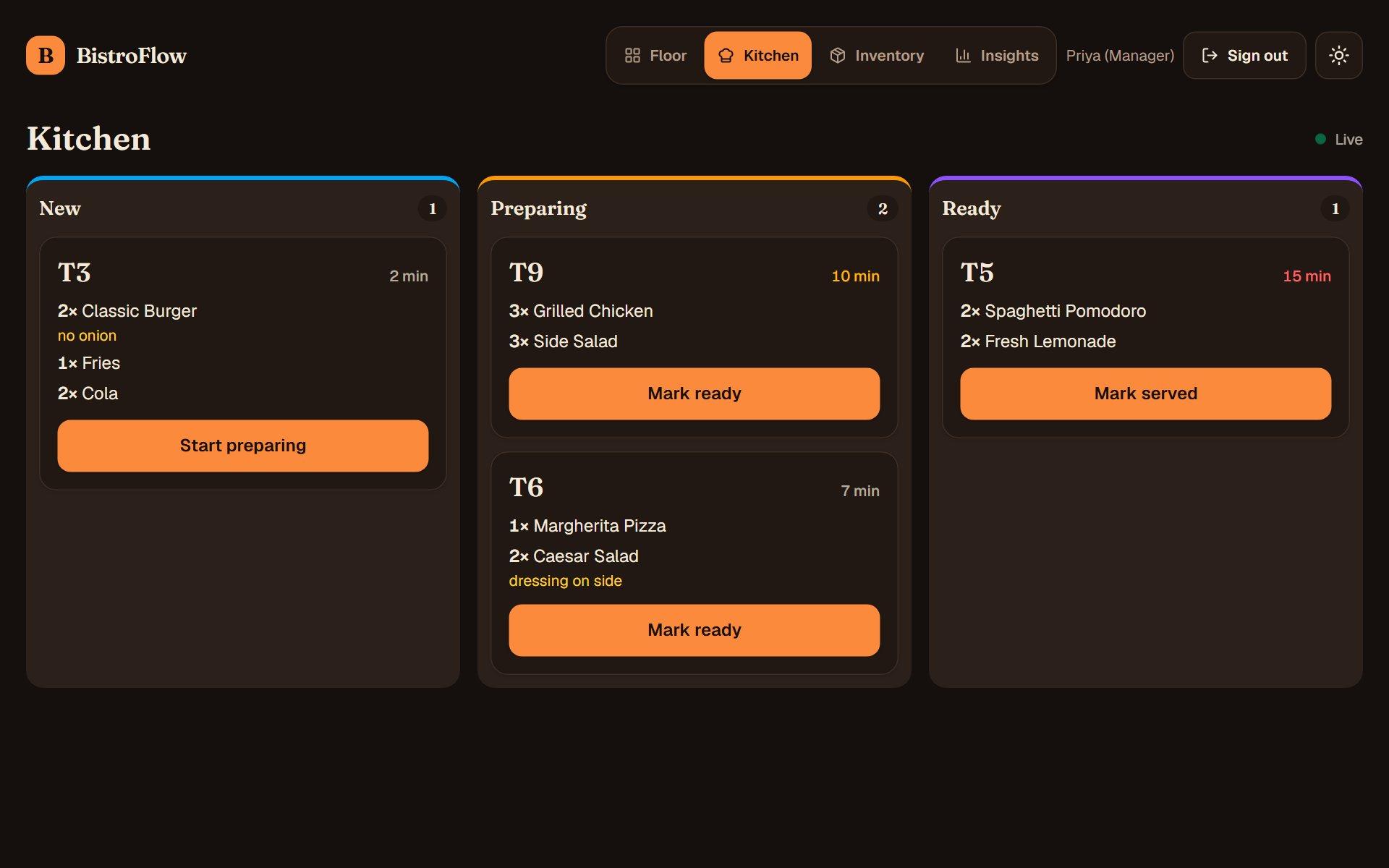
The ticket lands on the kitchen board within about two seconds. The cooks move it along, and the waiter sees the moment it is ready.
Step 3
Restock
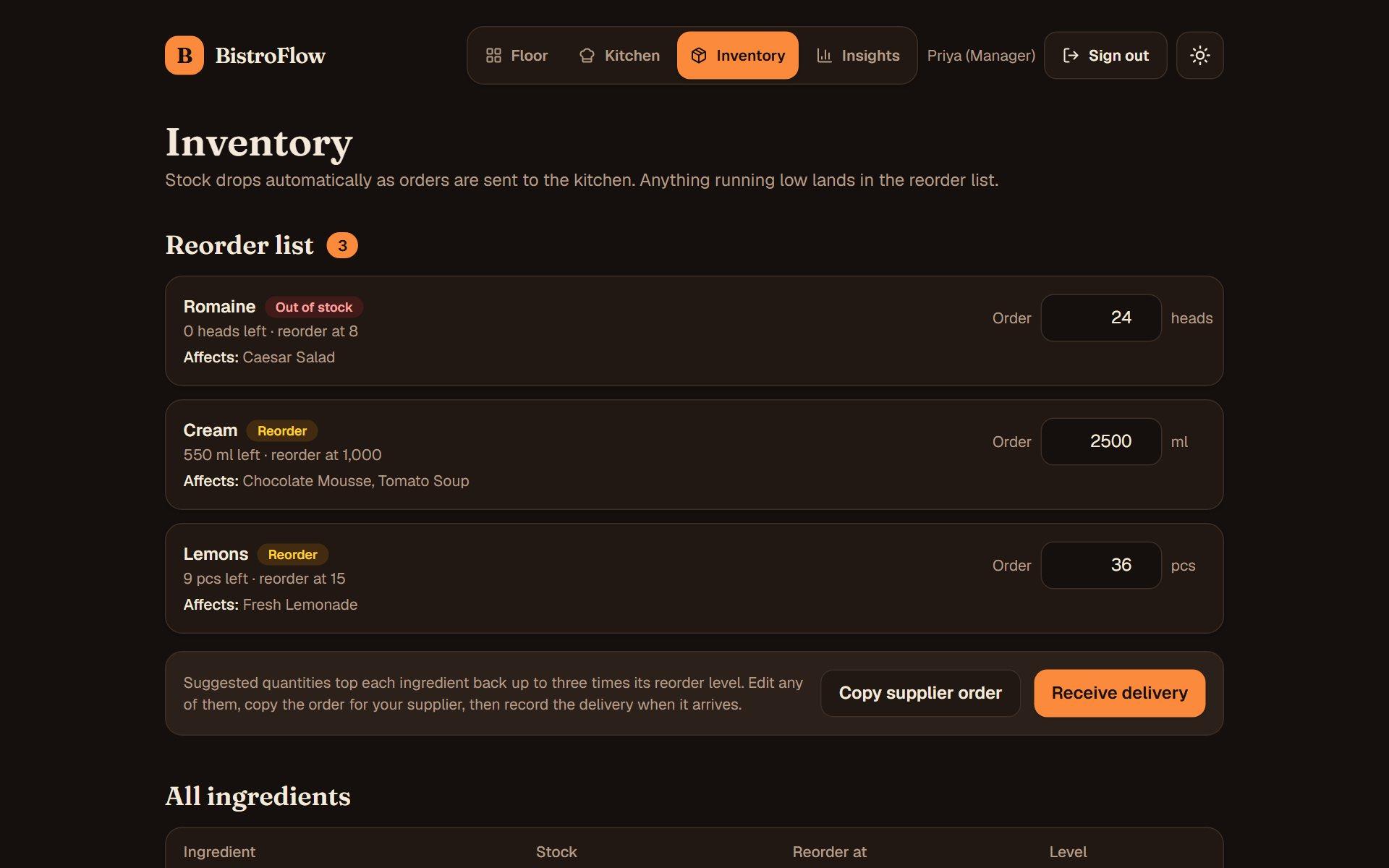
Every order deducts its ingredients automatically. Before anything runs out, the reorder list names the shortage, the dishes it affects and a quantity to buy.
Everything service needs, nothing it doesn't
Built around how a busy floor actually works.
Table map and order builder
Tap a table, build the order with modifiers like “no onion”, and send it. Totals update as you go, built for fingers on a tablet.
Live kitchen display
Tickets appear in about two seconds in New, Preparing and Ready columns. Ages turn amber, then red, as they wait.
A menu that knows its stock
Each dish shows the portions left, worked out from live stock and its recipe. Low dishes warn and sold-out dishes can't be ordered.
Reorder in one tap
Suggested quantities, the dishes each shortage affects, a supplier-ready order to copy, and one tap to record the delivery.
Insights that matter
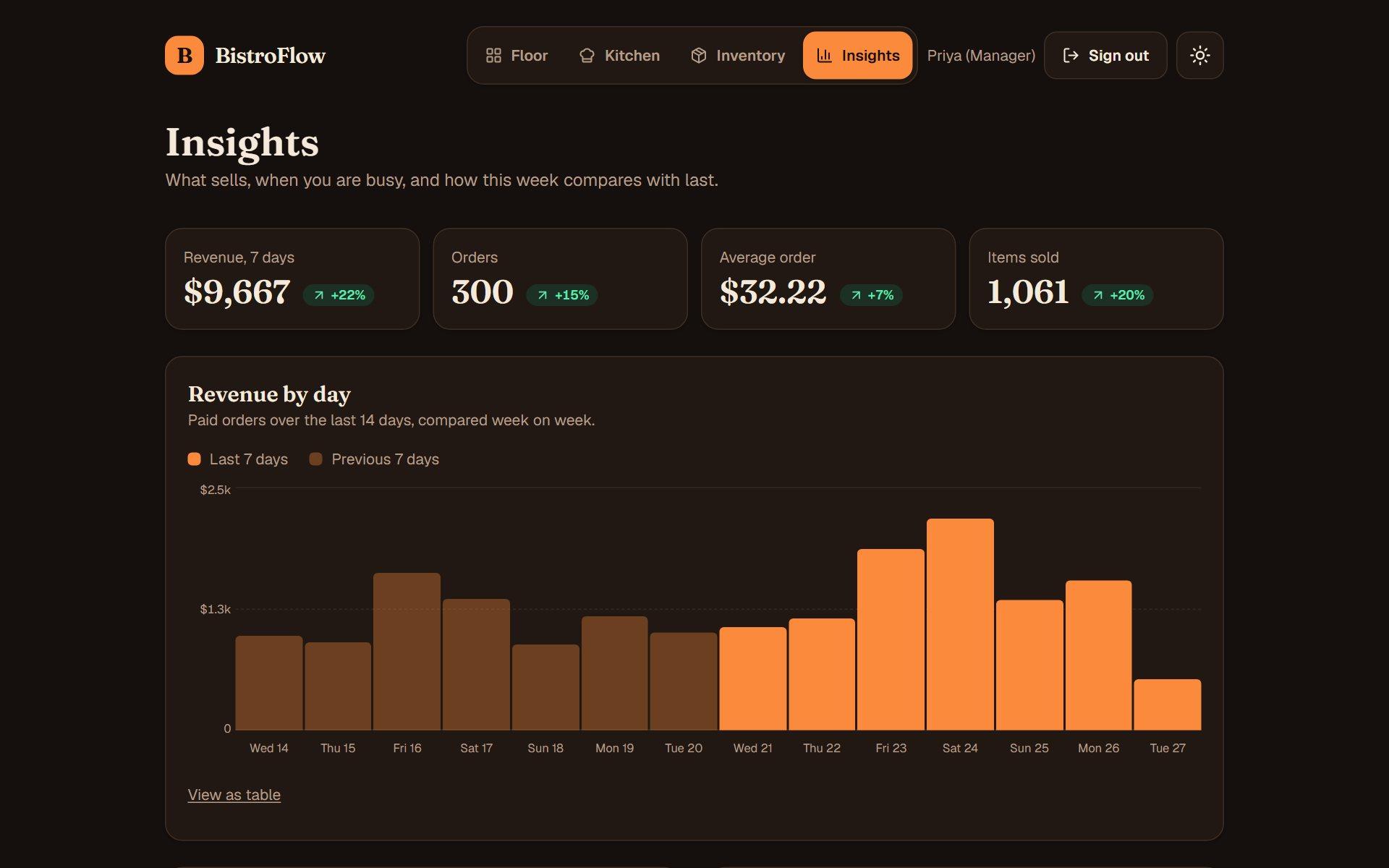
Revenue by day, best sellers and your busiest hours, compared with the week before so you can see what is working.
Roles that mean it
Waiters, kitchen and managers each see only what they need. Permissions are enforced on the server, not just hidden in the interface.
Kitchen
A board your cooks will actually use
- Tap a ticket to move it forward, with big targets that work with wet hands
- Colour-coded ages show what has been waiting too long
- Waiters mark served, so tables turn faster
Inventory
Know what to buy before you run out
- Shortages list the dishes they affect
- Suggested quantities top each ingredient back up, and you can edit them
- Copy a supplier-ready order, then record the delivery in one tap
Insights
See what sells, and when
- Revenue compared with the week before
- Best sellers and the hours that make your day
- Every bar is explorable, with a table view for screen readers
Try it now, as anyone on the team
Pick a role and you're in, with no sign-up. The demo comes loaded with a menu, live orders and two weeks of sales. Open two roles in two windows to watch an order travel from the table to the kitchen.
Front of house
Maya
Takes orders, settles bills.
Try this: Open a table, build an order with modifiers and send it to the kitchen.
Kitchen
Luca
Runs the kitchen display.
Try this: Watch tickets arrive live and move them from New to Ready.
Manager
Priya
Everything, plus inventory and insights.
Try this: Review insights, then reorder the ingredients that are running low.
Prefer to type? Sign in with a PIN. Demo PINs: 1111, 2222 and 3333.
For the technical reader
Built like production software
Next.js, TypeScript in strict mode, Postgres on Neon, a unit-test suite, and CI on every push. The interesting parts are the ones you can't see in a screenshot.
Read the sourceStock that can't lie
An order and its ingredient deductions commit in one database transaction. If any ingredient is short, nothing is applied.
No skipped states
Ticket updates are compare-and-set, so two screens tapping the same ticket can never jump a stage or double-apply.
Authorization in three layers
Route redirects, server-rendered pages and every API handler each check the role, driven by one tested permission matrix.
Real-time without WebSockets
Live updates run through one swappable polling hook, so the transport can change without touching a single screen.